In this blog, we’ll explore the Top Flow Features in the Salesforce Summer ’26 release, their practical applications, and how they enhance user experiences. This release focuses on improving the usability, efficiency, and capabilities of Salesforce flows.
Salesforce releases are major updates that include new features, improvements, and fixes designed to enhance the platform. They happen three times a year: Spring, Summer, and Winter.
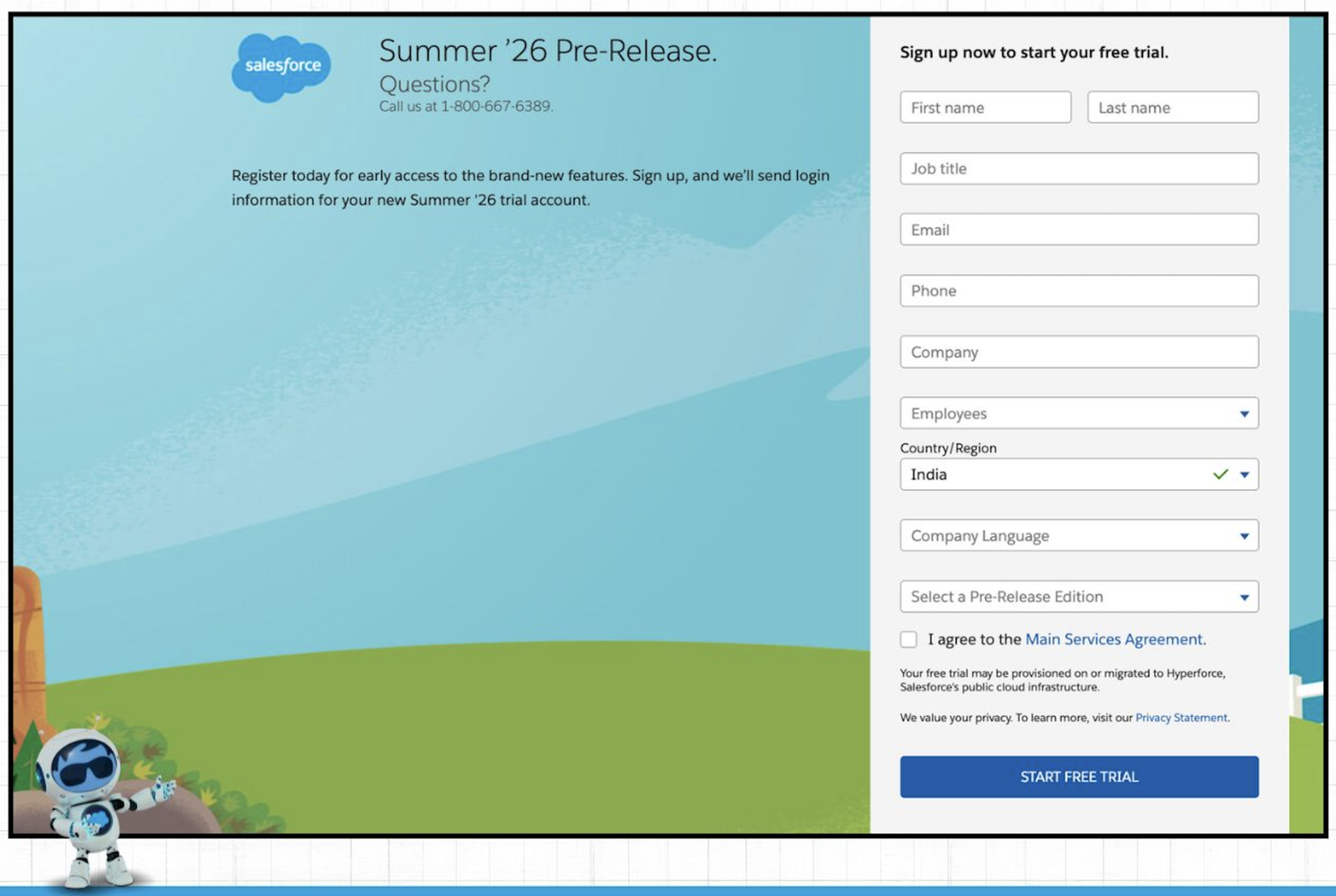
The pre-release org for the Salesforce Summer ’26 release is now available. You can sign up and explore all the new Flow features with hands-on practice by clicking here
Check out the Top Flow Features in the Salesforce Summer ’26 release below:
1. New Radio Button Group component
In the Summer ’26 release, Salesforce has introduced a new screen component element, which is ‘Radio Button Group’, displaying options in the form of horizontal boxes.
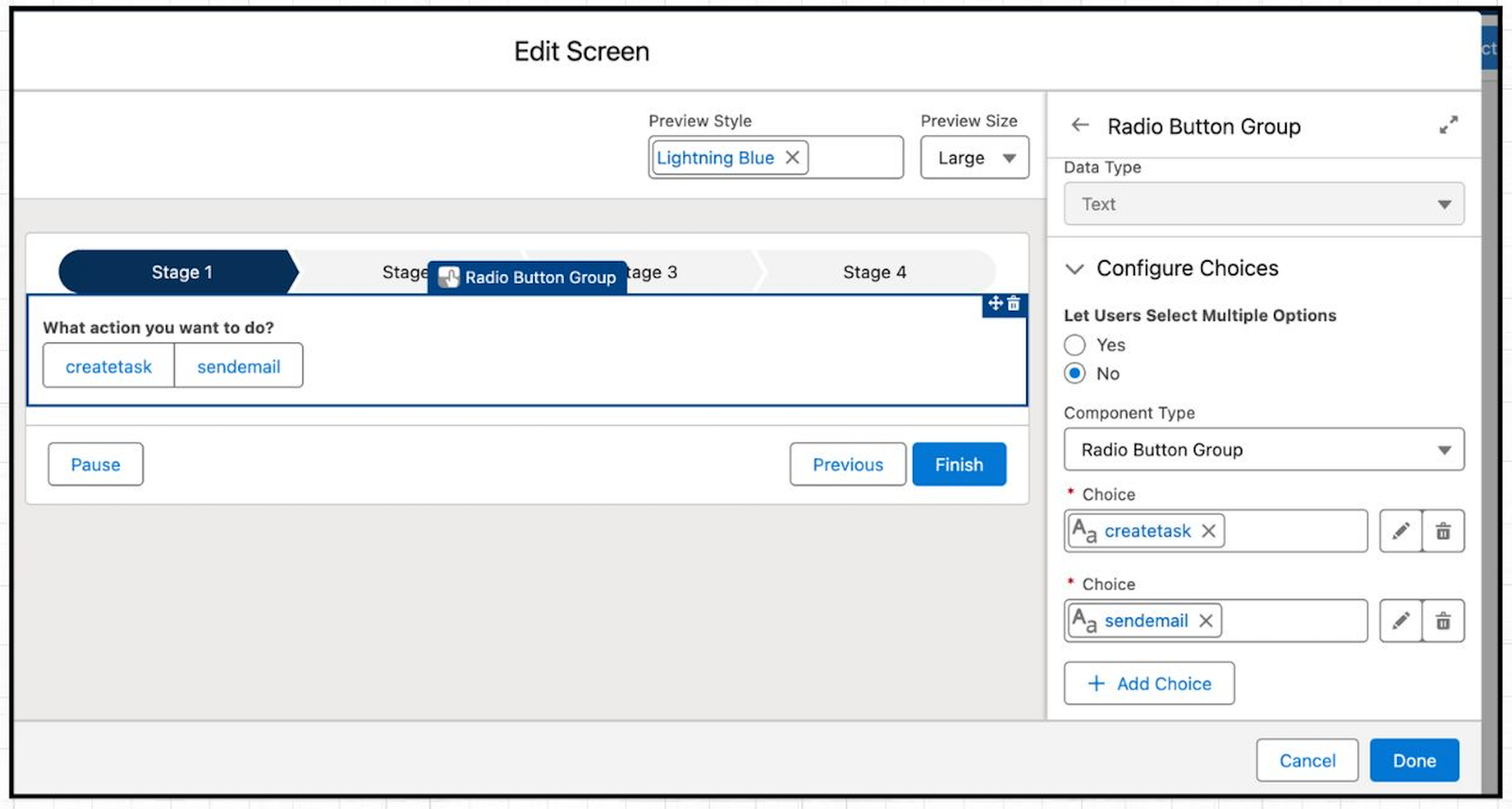
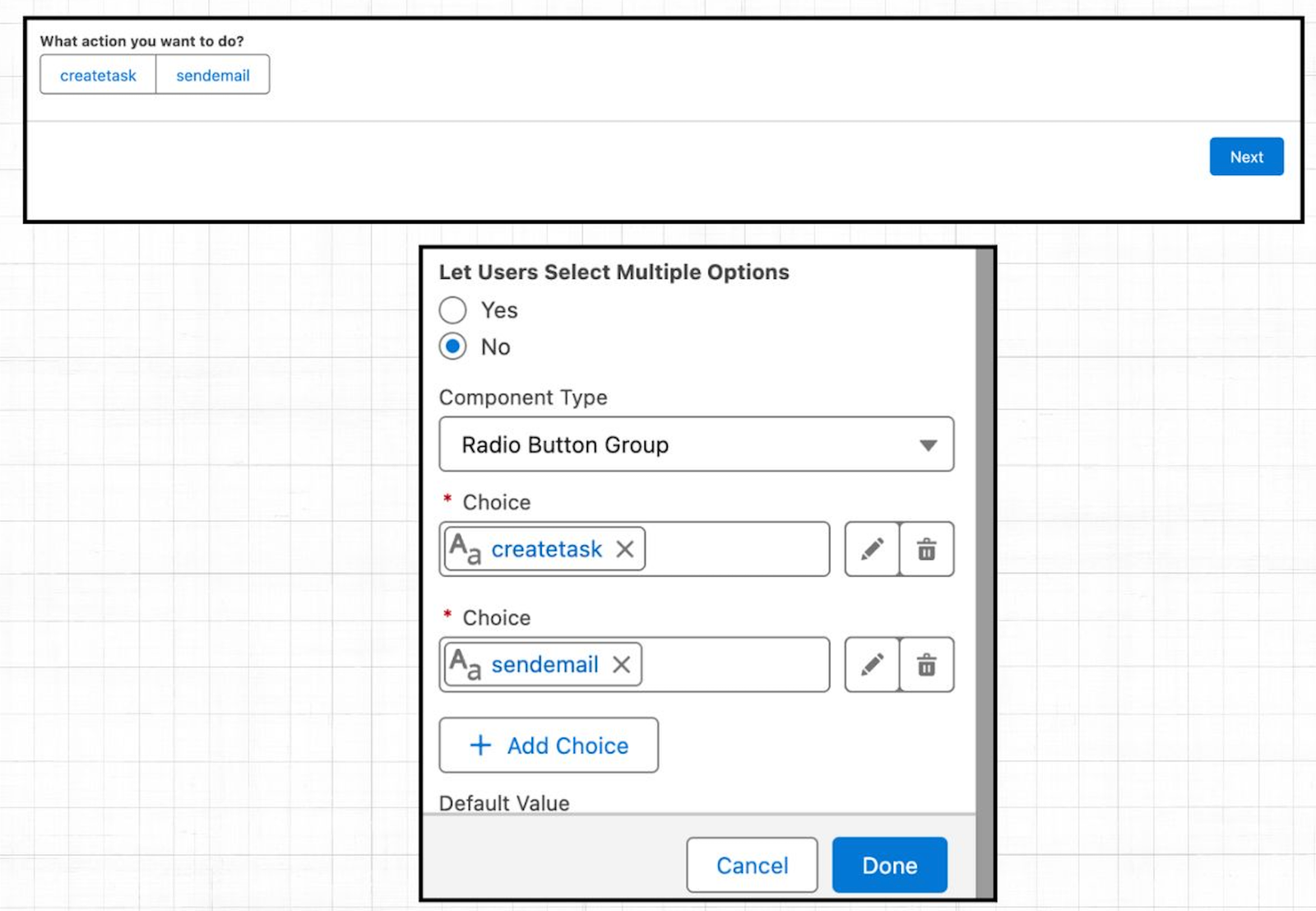
If you click on the yes radio button under ‘Let Users Select Multiple Options’ as shown below, then it converts the ‘Radio Button Group’ screen component to the ‘Checkbox Group’ screen component.
2. Custom Batch Size in Schedule-Triggered Flow
You can now control the maximum batch size in schedule-triggered flows. By default, it’s 200, but you can set a smaller size based on your needs.
For example, if your flow processes 11 records and the batch size is set to 2, Salesforce will run it in 6 batches.
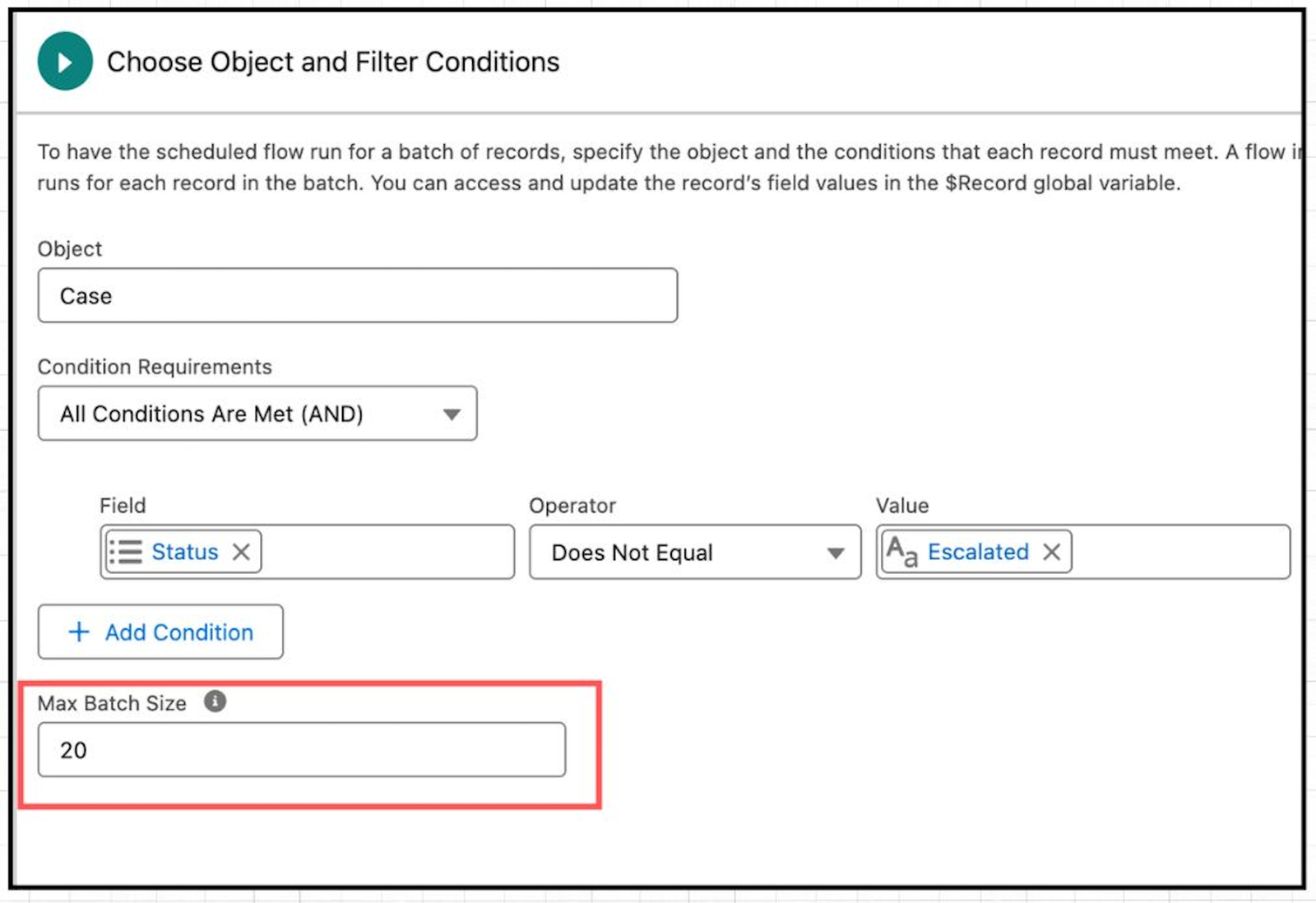
Using a smaller batch size can help avoid hitting governor limits and improve stability. But if you set it too low, it might take longer to complete the process.
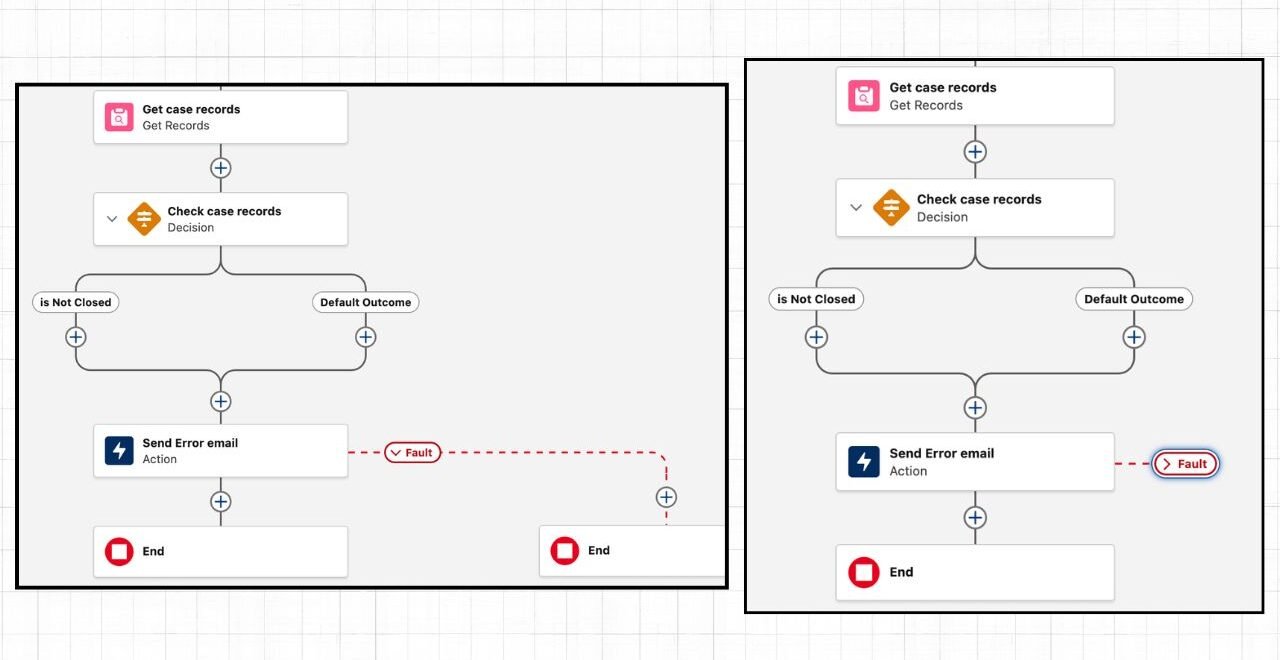
3. Collapsible Fault Path
Starting with the upcoming Summer ’26 Salesforce release, you can now collapse and expand fault paths, helping you to keep your Flow canvas clean and clutter-free.
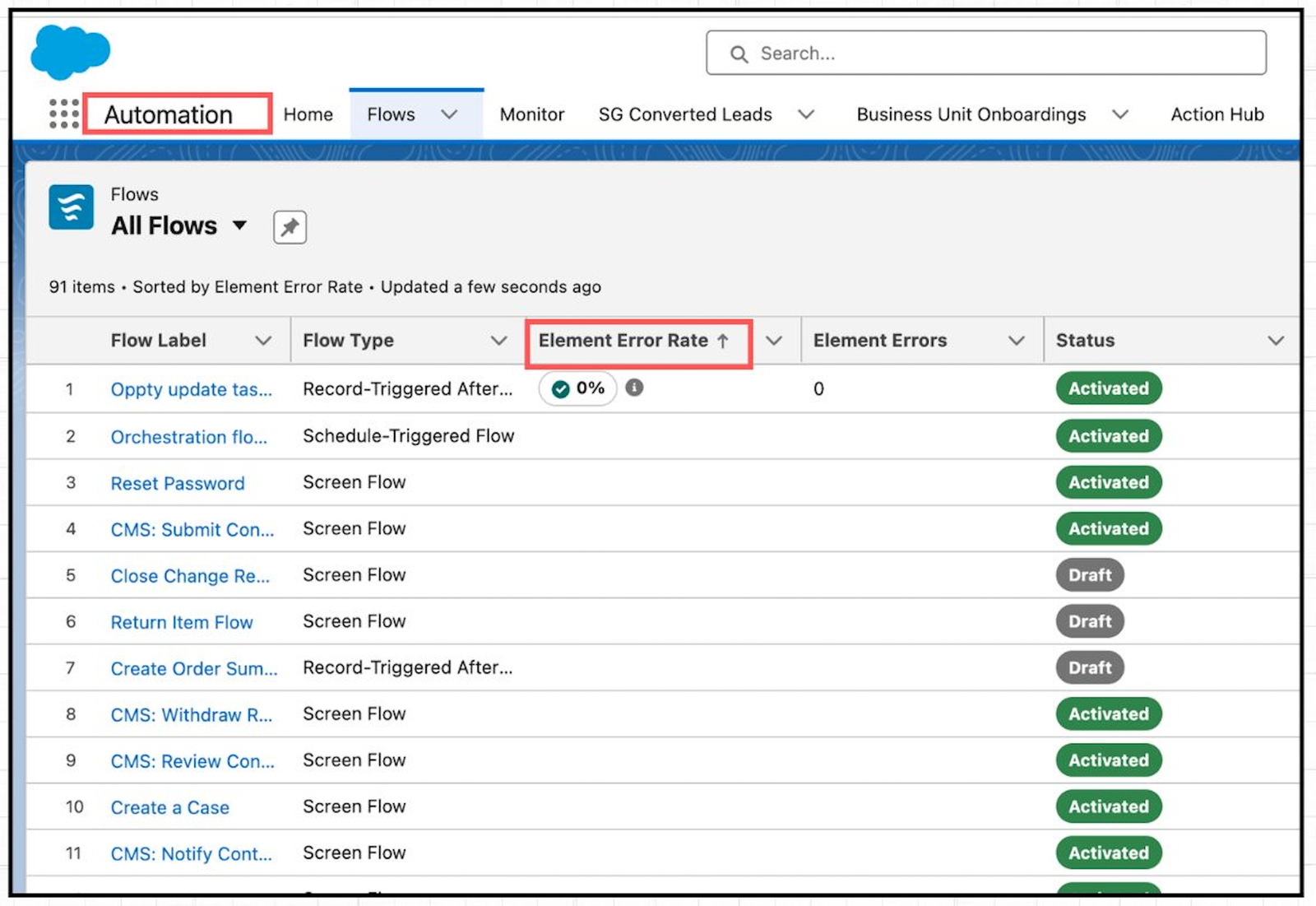
4. Flow Element Error Rate
The Automation app introduces a new “Element Error Rate” column in the list view. It displays the percentage of flow elements that encountered errors during the most recent flow run.
5. Data Table Enhancement
A small but super useful update coming in the Summer ’26 Salesforce release.
In the Data Table, instead of showing only record IDs for related records, it will now display the actual record names and make them clickable.
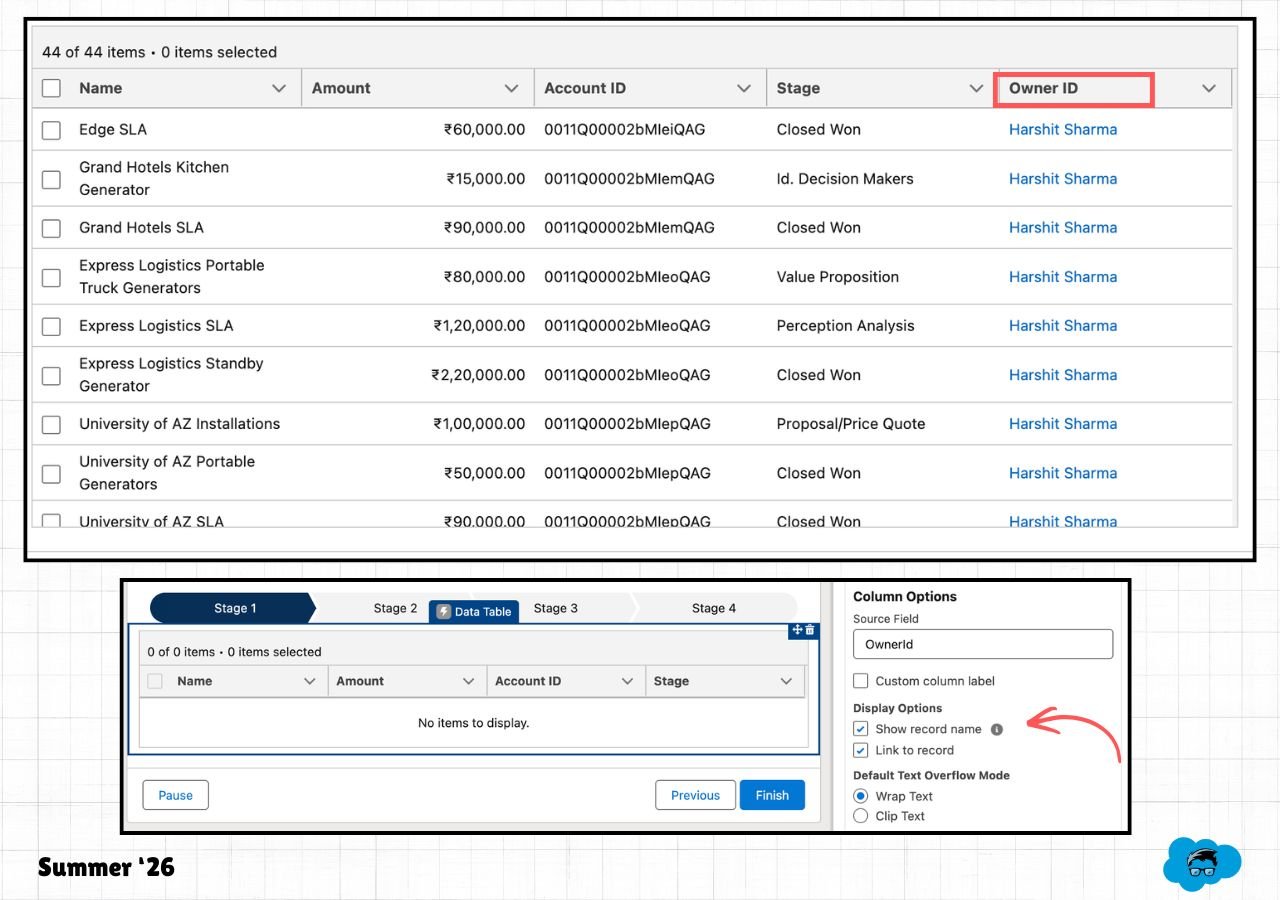
While configuring your columns, enable ‘Show record name’ and ‘Link to record’ checkboxes as shown in the image below.
6. New Date Operators
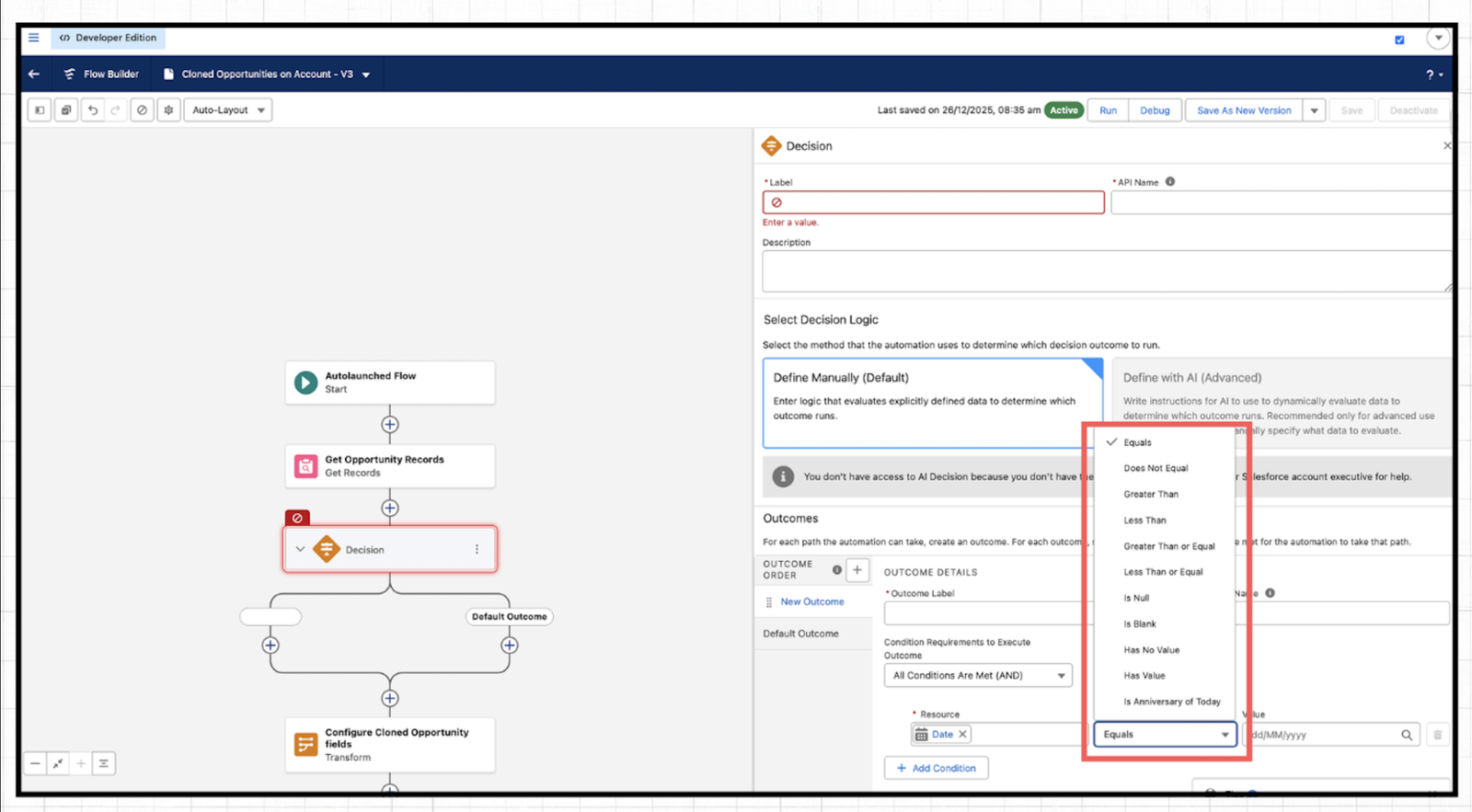
With the Summer ’26 Release, Salesforce is adding 20 new Date operators to Decision elements.
7. Deploy Email Templates With Ease
Deploying flows with email templates just got improved in Summer ’26. Earlier, moving flows between environments could break email template references. Now, Salesforce stores the selected template as a proper reference, so deployments work without those issues.
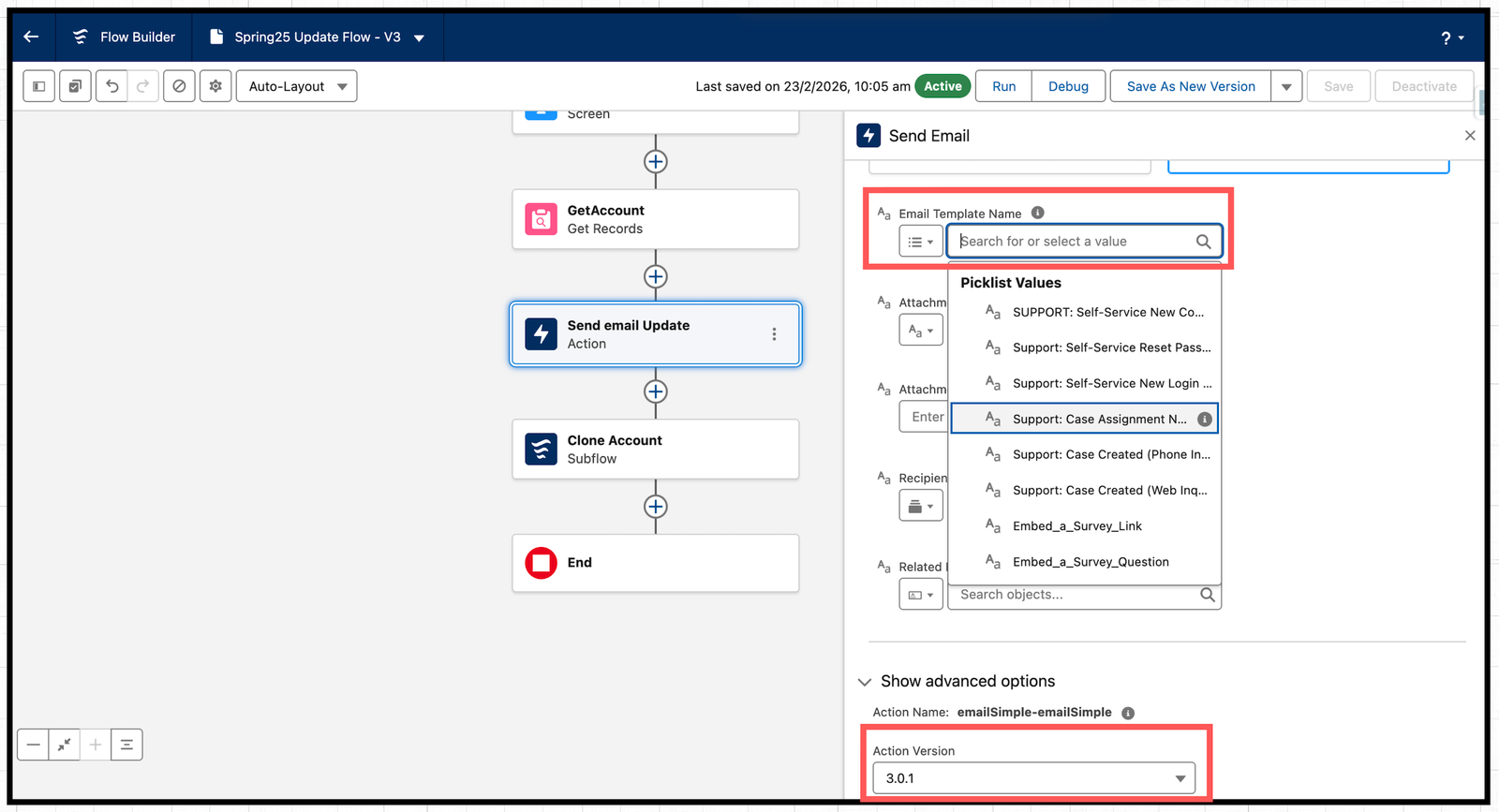
When you use an Email Template in the Send Email action, just go to “Show advanced options” at the bottom of the properties panel. There, you’ll see the Action Version. Make sure it’s set to 3.0.1 or higher to use this improvement going forward.
Also Read – SOQL Scenario-Based Interview Questions and Answers
Conclusion
The Summer ’26 Salesforce release introduces many powerful updates that make life easier for both admins and developers. From new Radio Button group component styling to the introduction of a custom batch size limit, these enhancements strengthen Flow’s capabilities while also improving usability. The result is faster configuration, smoother experiences, and less effort spent managing complex processes.