The use of Lightning Web Components (LWC) has been a significant factor in delivering rich, high-performing user experiences for modern Salesforce applications. LWC has impressive client-level responsiveness, but on the other hand, it creates a major engineering requirement in the form of systematically capturing, analysing, and acting upon runtime errors.
Debugging becomes reactive and time-consuming because issues remain invisible until users report them, and this is the scenario where a Testing and Error Logging Framework takes over as a necessity.
An Error Logging Framework plays a crucial role in the detection and capture of client and server errors, where the client errors are logged, and the server errors are logged, then stored persistently and monitored for application reliability. Such frameworks are very important in the case of large Salesforce implementations, production orgs with strict audit requirements, and teams implementing the DevOps or continuous delivery practices.
This blog details thoroughly the various stages of development and also the implementation of an end-to-end Error Logging Framework for LWC.
Why an Error Logging Framework Is Essential in LWC-Based Architectures?
Lightning Web Components are mainly executed within the browser, thus the majority of the runtime errors are visible only through the browser’s console. This situation imposes multiple difficulties. The users in production have no straightforward way to communicate the detailed error data. The logging data that has been gathered from the console is not found in any common storage. Moreover, the problems caused by Apex calls may include sensitive data from the server that has to be captured and stored securely after taking the right precautionary measures.
A formalized logging framework solves all of these issues through the systematic capture of the data. It introduces a uniform error nomenclature, guarantees the storage of records, and provides data for the analysis of trends over time and the rooting out of the problems by the engineering teams in advance of their possibly becoming major incidents.
Core Architecture of the Error Logging Framework
A well-designed logging framework for LWC should contain several system-level components working together.
Custom Object for Storing Logs
For bringing together all logs at one place requires a dedicated custom object named Error_Log__c. This object generally contains fields such as Component_Name, Error__Message, Stack_Trace, Logged_By, Context_Details, and Timestamp.
Storing errors in Salesforce at single place itself provides immediate accessibility and makes logs visible through standard reporting tools.
Apex Logger Utility
LWC manages errors on the client side, and still, it requires a means of communication to save those errors in Salesforce. To achieve this, an Apex class acts as a logging service. It provides an invocable or @AuraEnabled method for LWCs to send log requests to.
This class does the validation, security checks, as well as DML operations. It should also handle unexpected failures in a way that the logging does not create new errors.
LWC ClientSide Handler
Error detection methods such as try-catch blocks and global listeners are found in LWC scripts, and they serve the purpose of catching client-side errors and passing them to Apex via an imported method.
Moreover, LWC is capable of getting hold of the error responses that are sent back by Apex and sending them through the same logging system without manual intervention.
Error Transformation Layer
JavaScript errors are not the same as those of Apex. An LWC Transformation layer converts error objects to a unified format before they are logged. This guarantees that the records of your Error_Log__c are uniform and legible.
All these factors combine to form a dependable and reproducible structure that can cater to applications of any size.
Structing the Error_Log__c Custom Object
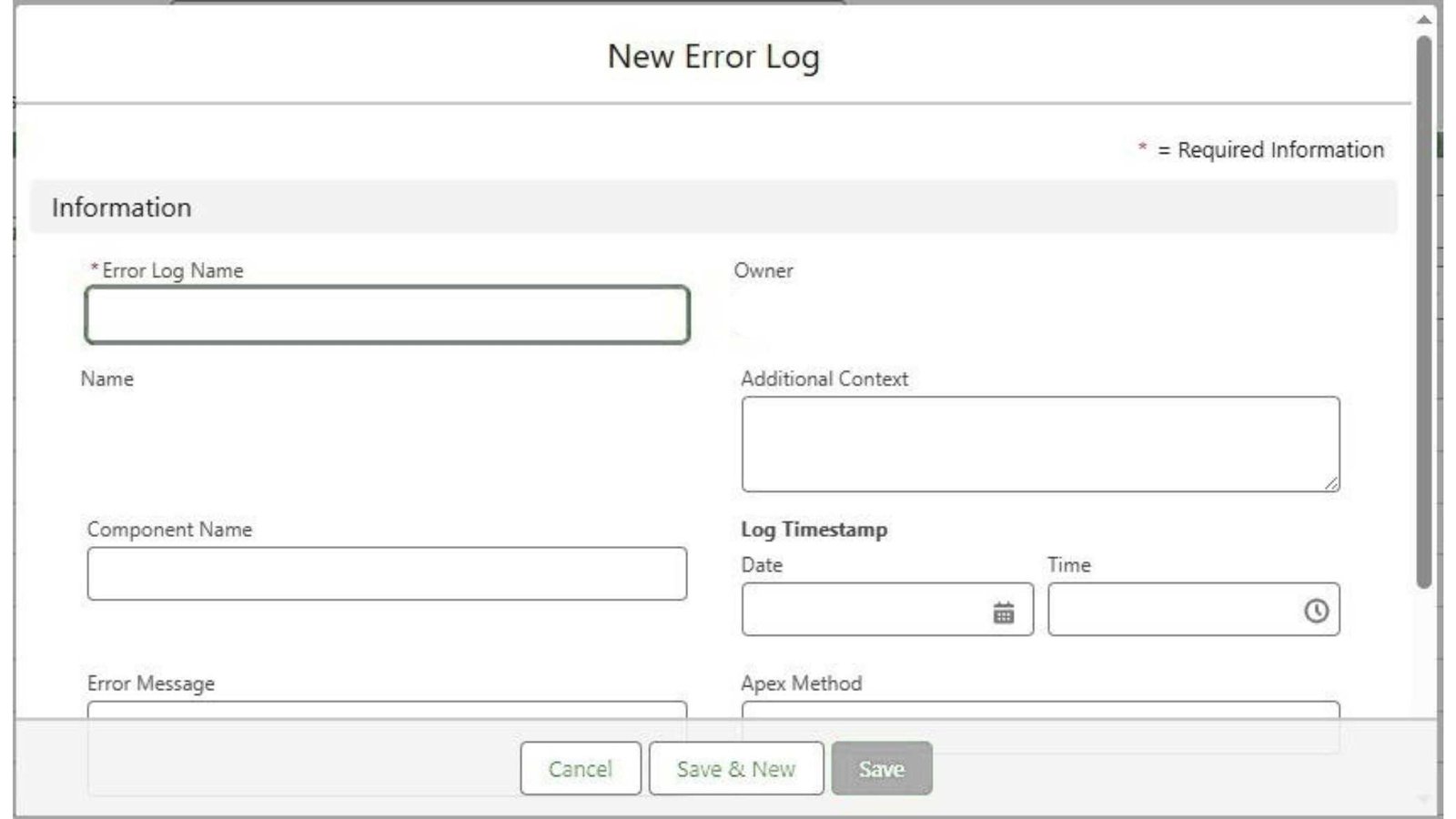
A reliable error record demands a data structure capable of describing the error background, the severity of the error, and the underlying exception. So the following fields are typically included:
- Name (Auto-Number)
- Component_Name__c (Text)
- Error_Message__c (Long Text Area)
- Stack_Trace__c (Long Text Area)
- Apex_Method__c (Text)
- Additional_Context__c (Long Text Area)
- Logged_By__c (Lookup to User)
- Log_Timestamp__c (DateTime)
Apex Logging Service Implementation
The Apex class must handle log creation transparently and safely.
Below is an example implementation that exposes a logging endpoint for LWC calls.
public with sharing class ErrorLoggingService {
@AuraEnabled
public static void logError(String componentName, String message, String stack, String contextInfo, String apexMethod)
{
try {
Error_Log__c log = new Error_Log__c();
 log.Component_Name__c = componentName;
 log.Error_Message__c = message;
 log.Stack_Trace__c = stack;
 log.Additional_Context__c = contextInfo;
 log.Apex_Method__c = apexMethod;
 log.Logged_By__c = UserInfo.getUserId();
 log.Log_Timestamp__c = System.now();
 insert log; }
 catch (Exception ex) {
 System.debug('Logging failed: ' + ex.getMessage());
 }
} }
Ensure your application handles errors silently. Should the logging fail, the application manages it in a way so that the user experience does not break.
LWC Error Handling and Logging Integration
The lighting web components should detect exceptions and pave the way for them for service handling. One of the best ways is to capture logging within a reusable JavaScript module.
Shared LWC Logging Utility
import logError from '@salesforce/apex/ErrorLoggingService.logError';
export function logClientError(componentName, error, contextInfo)
{
 const message = error?.message || JSON.stringify(error);
 const stack = error?.stack || 'No stack trace available';
 logError({
    componentName: componentName,
    message: message, stack: stack,
    contextInfo: contextInfo,
    apexMethod: '' }).catch(() => {});
}
This module ensures that every part of your client-side code can log errors consistently by simply calling logClientError() function.
Implementing Error Logging in an LWC
As an illustration of the framework, think about a basic Lightning Web Component (LWC) that gets Accounts through an Apex call.
If the Apex call fails with an exception, the LWC handles it by logging and still operates smoothly.
Apex Controller
public with sharing class AccountController {
 @AuraEnabled(cacheable=false)
   public static List<Account> getAccounts() {
   // Simulating an error for demonstration
   throw new AuraHandledException('Simulated failure in getAccounts');
   }
}
LWC JavaScript – AccountList
import { LightningElement } from 'lwc';
import getAccounts from '@salesforce/apex/AccountController.getAccounts';
import { logClientError } from 'c/logError';
export default class AccountList extends LightningElement {
  connectedCallback() {
    this.loadAccounts();
   }
   loadAccounts() {
   getAccounts() .then(result => { // Handle data })
   .catch(error => {
     logClientError('AccountList', error,'Error occurred while loading accounts');
   });
  }
}
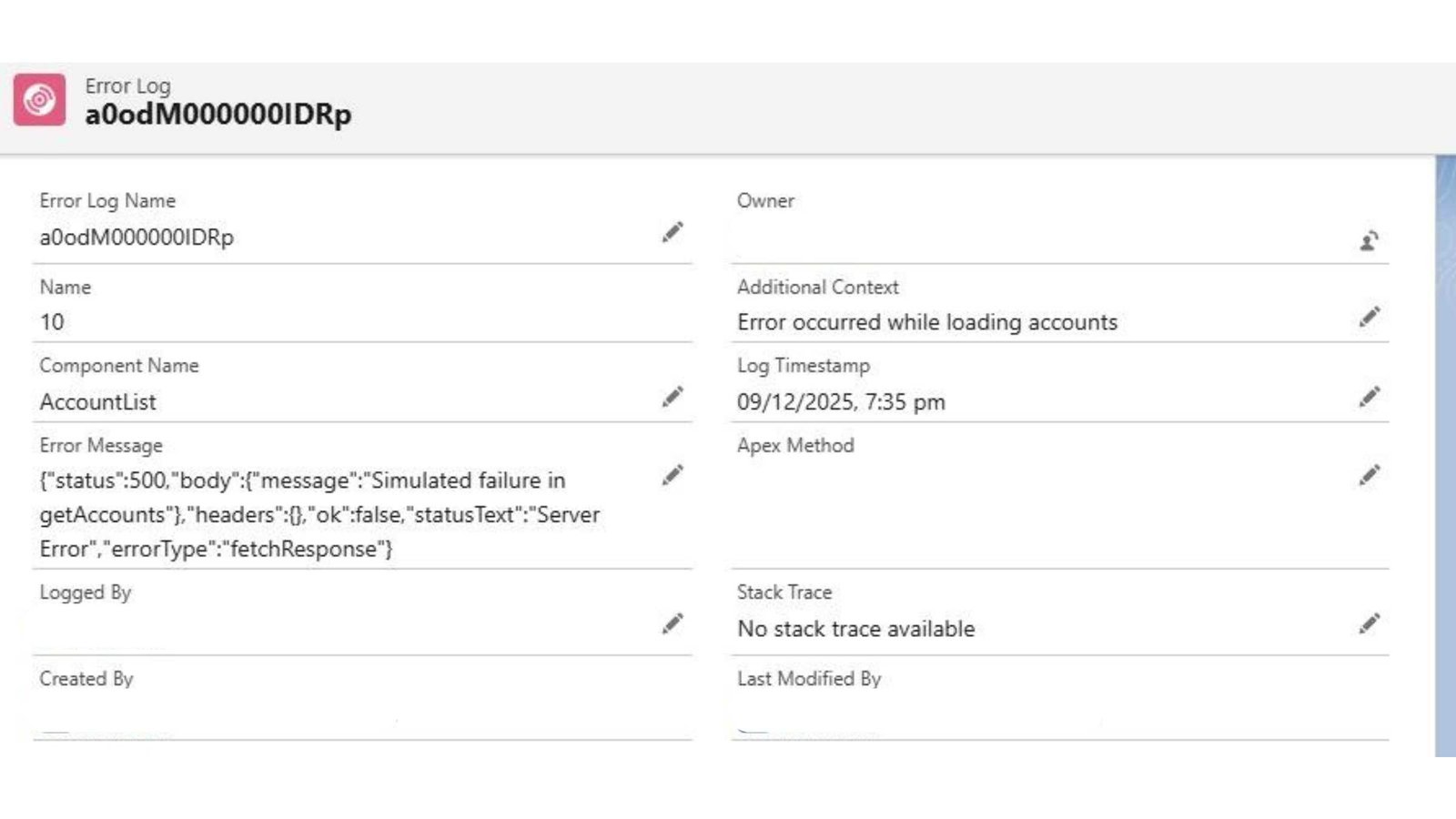
Add this component to a Lightning App page or Lightning record page (App Builder) and activate, and load the page where AccountList is placed. Since getAccounts() triggers a simulated AuraHandledException, the LWC should capture it and invoke logClientError() on its own.
The LWC automatically sends any runtime or Apex-based error to your persistent framework.

Before refreshing AccountList component – no records.

After refreshing the AccountList component
Development Steps
Teams adopting this framework can follow a structured process to implement the solution in a new or existing Salesforce org.
The Process begins with creating a custom Error_Log__c object that captures all essential details such as the error message, stack trace, execution context, and user information.
Next, an apex code which captures all errors at one place Apex ErrorLoggingService is developed, exposing a clean and reusable @AuraEnabled method for inserting error records while ensuring that any exceptions occurring within the logger itself are omitted .
A shared LWC JavaScript utility is created to collect and standardize error formatting across components in a similar format. Existing LWCs are updated to adopt this framework by bundling critical logic in try–catch blocks, handling promise rejections from Apex calls, and using the shared utility to send structured error logs.
To enable visibility and control, Salesforce reports or dashboards, are created on Error_Log__c, allowing application managers to monitor error volumes, identify regularly failed components, and detect repeated occurances.
In the Final step, platform-level monitoring is implemented using scheduled Apex jobs to periodically analyse high-severity issues and trigger email alerts when error volumes exceed predefined thresholds, ensuring proactive operational oversight.
Advantages of Having a Centralized Error Logging Framework
The main benefit is better visibility. Developers can see the issues that are happening in real-time on complicated pages without having to rely on the user’s screen or doing random debugging.
Administrators can see which issues are trending and can decide which improvements to make based on the users affected.
Compliance and auditing teams are able to access the historical logs that are kept in Salesforce. The logging framework also encourages engineers to be more disciplined and to stop random console logging, which cannot be captured for future use.
Also Read – Salesforce Spring ’26 Release Updates For Admins
FAQs
1. Where to find error logs in Salesforce?
Navigate to Setup, type Debug Logs in the Quick Find box, and then click on Debug Logs from the results.
2. What is the difference between User_debug and Developer_log in Salesforce?
DEVELOPER_LOG is used to track activities that happen in the Developer Console, which is helpful when you are debugging code you are actively working on.
USER_DEBUG, on the other hand, logs the actions performed by a specific user in Salesforce. This is useful when you want to see what happens when a particular user runs a process, flow, or Apex.
Conclusion
As Salesforce development becomes increasingly complex, the adoption of a well-structured and scalable Error Logging Framework is necessary for keeping the application healthy, resilient, and auditable. The framework is a great help for Lightning Web Components developers as it gives a systematic way of logging failures occurring on the client side and the server side, along with strong traceability and clear accountability.
Get a complete Roadmap to Learn Salesforce Admin and Development👇