When people talk about data in Salesforce, they usually mean records. Accounts, cases, opportunities, and fields with rules around them. That’s not where most real information lives. This is where Unstructured Data in Data Cloud comes in.
Most real information lives in documents, emails, call transcripts, PDFs, long explanations written by agents, and files sitting in cloud storage. That’s unstructured data. Data Cloud is Salesforce’s way of making that data usable without forcing it into tables it doesn’t belong in.
This Blog explains how unstructured data works in Data Cloud, how Salesforce treats it differently from structured data, and how it’s used across AI, automation, and analytics.
Unstructured Data in Data Cloud
Unstructured data in Data Cloud refers to data that doesn’t follow a fixed schema. It isn’t designed around rows, columns, or predefined fields.
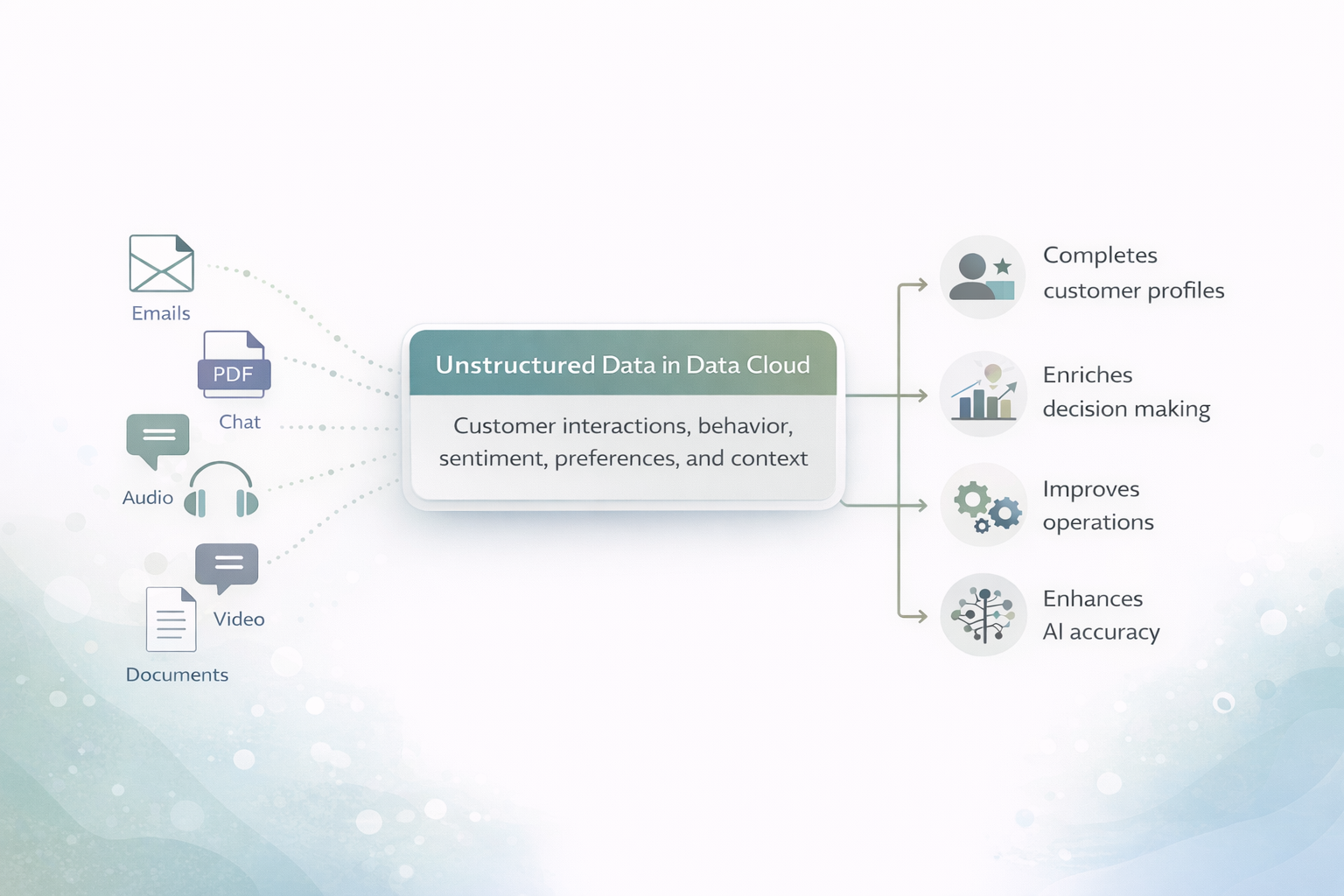
For example, emails between agents and customers, chat transcripts, Knowledge articles, PDFs, audio recordings, videos, and long-form text documents. In Salesforce environments, Knowledge content and sales or service call transcripts are some of the most common sources.
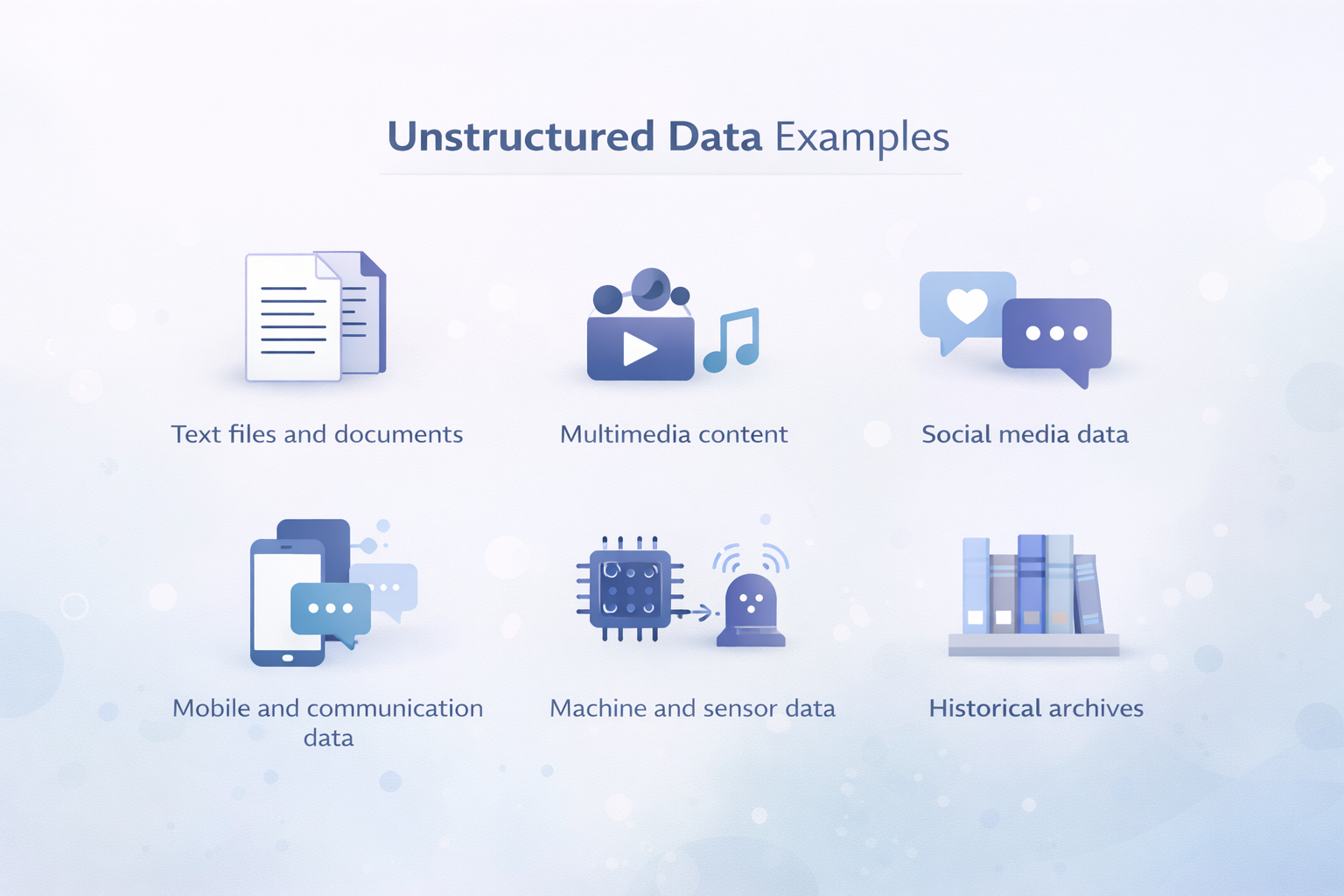
Data Cloud doesn’t try to “normalize” this data. Instead, it works with it as it is.
Unstructured Data vs Structured Data
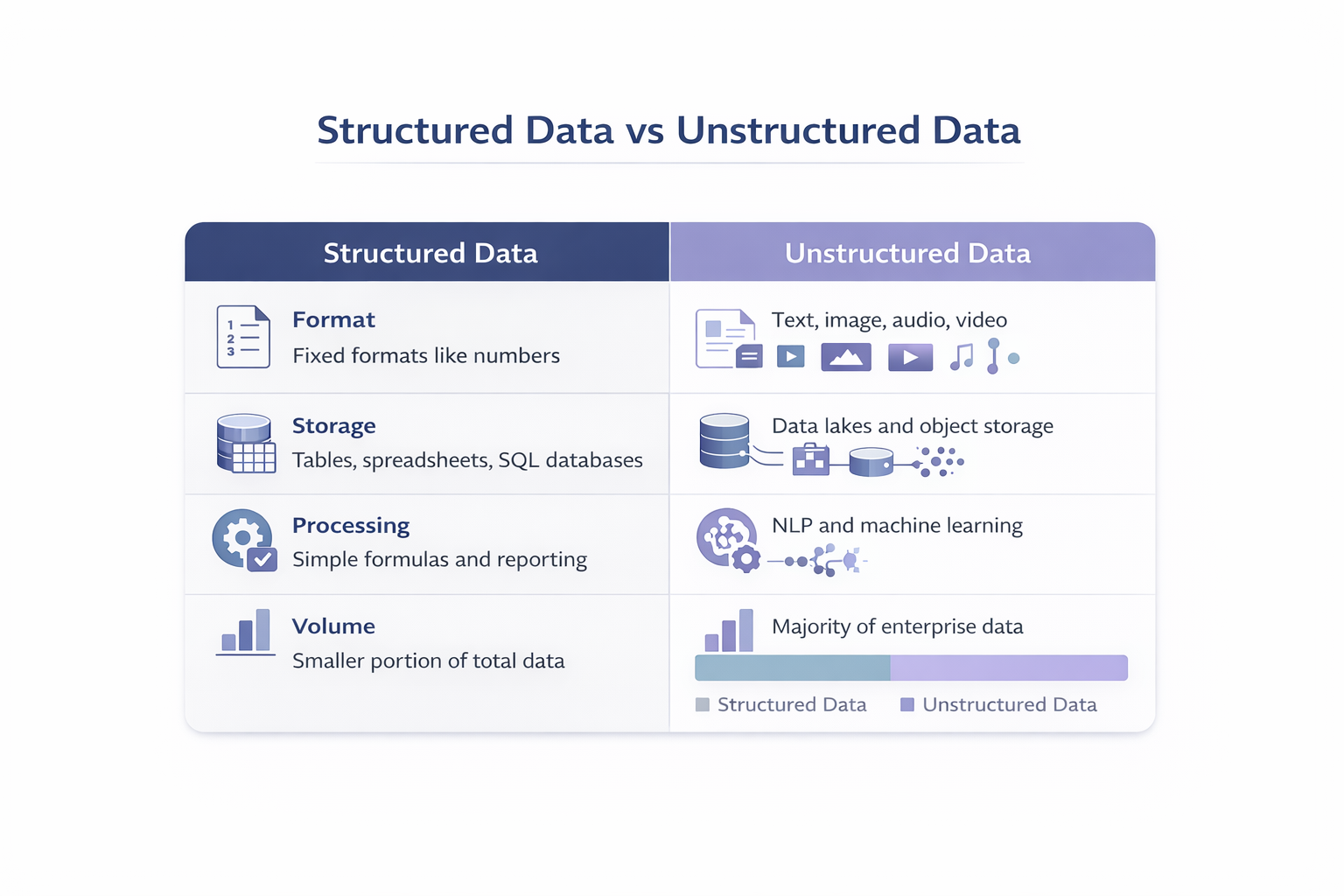
Structured data behaves well. It fits into relational models. You can sort it, aggregate it, and report on it easily.
Unstructured data doesn’t behave that way. It’s narrative. Contextual. Often messy. But it contains the details that structured data can’t capture — explanations, intent, sentiment, and reasoning.
There’s also semi-structured data, which sits somewhere in between. A raw audio file is unstructured. A transcript with tags and headings becomes semi-structured. Data Cloud supports all three, without forcing them into the same model.
Using Unstructured Data Across Salesforce
Once connected, unstructured data in Data cloud can be used across Salesforce features that depend on context.
AI tools can reference business-specific documents instead of relying only on public data. Automation can surface relevant documents or historical content when users need it. Analytics tools can work with text-based content alongside metrics.
The data stays external. What changes is accessibility.
Connecting Unstructured Data
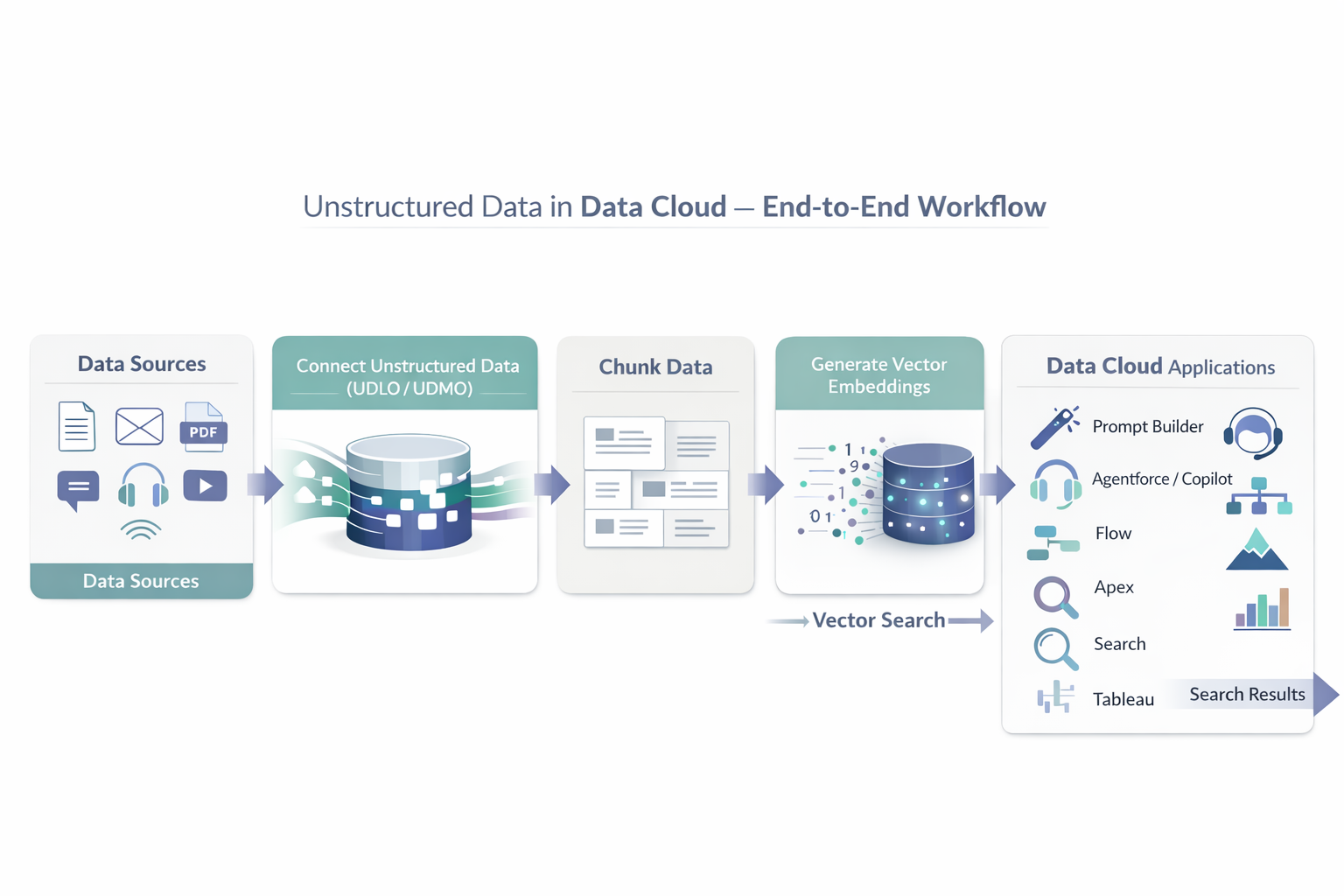
Unstructured data in Data cloud is not copied into Salesforce storage. It’s referenced.
Data Cloud supports external blob storage systems such as Amazon S3, Azure Blob Storage, and Google Cloud Storage. Files remain where they are. Data Cloud points to them.
Supported formats include HTML, TXT, and PDF, with more planned over time.
This approach avoids duplication while still making the data searchable and usable.
Unstructured Data Lake Objects
Unstructured Data Lake Objects, or UDLOs, represent collections of unstructured files.
Each record in a UDLO corresponds to one file in external storage. The UDLO doesn’t store the file itself. It stores metadata about the file.
That metadata includes file path, size, content type, parent relationships, and update timestamps. A single UDLO represents a logical group of files rather than individual records scattered across the system.
Unstructured Data Model Objects
Unstructured Data Model Objects, or UDMOs, sit on top of UDLOs.
They use the same schema, which allows Data Cloud to automatically map fields between them. This mapping isn’t something you manage manually. It happens because the structures match.
Each UDLO maps to one UDMO. Multiple UDLOs can map to the same UDMO. That’s useful when similar data comes from different sources but should be treated as one logical dataset.
Knowledge Articles as Unstructured Data
Salesforce Knowledge articles are a practical example of unstructured data already inside Salesforce.
They’re written by humans, for humans. They include explanations, steps, and long-form text. Data Cloud can ingest this content using predefined CRM bundles.
Once ingested, Knowledge articles appear alongside other unstructured data sources and can be used in search, AI, automation, and analytics.
Chunking
Large documents aren’t useful as a single block of text. Data Cloud breaks them down.
This process is called chunking.
Chunking splits content into smaller, meaningful sections. Data Cloud supports semantic chunking based on headings and structure, as well as window-based chunking that works at paragraph or sentence level.
The goal isn’t fragmentation. It’s precision.
Vector Embeddings
After chunking, Data Cloud creates vector embeddings.
A vector embedding is a numerical representation of text that captures meaning rather than keywords. Content that talks about the same idea ends up close together, even if the wording is different.
This is what allows Salesforce tools to retrieve relevant content based on intent instead of exact matches.
Search Index Configurations
Search index configurations control how unstructured data is chunked, vectorized, and indexed.
Once indexed, unstructured data becomes available to Agentforce, Prompt Builder, Flow Builder, and Tableau. Search results are grounded in enterprise content rather than generic sources.
The indexing process takes time, but once ready, the data can be reused across multiple applications.
Enterprise Use Cases
Service teams rely on unstructured data to surface relevant Knowledge content, similar cases, and past resolutions without digging through records.
Sales teams gain clearer insight from emails and meeting transcripts, where buyer intent, hesitation, and objections usually appear outside structured fields.
Security and risk teams look to logs, chats, and message patterns to spot anomalies that may signal fraud or unusual activity.
All of these scenarios rely on context rather than raw numbers, and that context consistently comes from unstructured data.
Benefits and Constraints
Unstructured data provides depth that structured data cannot. It captures explanations, reasoning, and sentiment.
This approach also brings some challenges, like handling large data volumes, added complexity, governance needs, and processing costs. Data Cloud manages these by pointing to the data instead of duplicating it, keeping metadata consistent, and using Salesforce’s built-in security and governance controls.
Managing Unstructured Data
Effective use of unstructured data in the Data Cloud depends on discipline.
Teams need to connect data that supports real business outcomes, manage it centrally, and activate it through AI, automation, and analytics. Storing unstructured data alone doesn’t deliver value. Using it does.
Also Read: What is RAG in Salesforce?
FAQs
1. How does Data Cloud handle files without storing the actual content?
Data Cloud does not move or store files inside Salesforce. Instead, it points to files that already exist in external storage like Amazon S3, Azure Blob Storage, or Google Cloud Storage. UDLOs and UDMOs only keep the file details and metadata, while the actual file remains where it was originally stored.
2. What is the difference between a UDLO and a UDMO in Data Cloud?
A UDLO is basically a container that holds files along with their related details. On top of that, a UDMO defines how this data is organized and understood across Salesforce. Each UDLO is linked to one UDMO, and multiple UDLOs can connect to the same UDMO when they contain similar data coming from different sources.
3. Can Salesforce Knowledge articles be used in Data Cloud?
Yes. Salesforce Knowledge articles contain rich text and long-form content. Data Cloud ingests Knowledge articles through predefined CRM bundles and exposes them alongside other content sources for search, AI grounding, automation, and analytics.
4. Why does Data Cloud require chunking?
Chunking breaks large documents into smaller, meaningful sections that search and AI tools can process efficiently. Without chunking, long documents reduce accuracy and relevance. Data Cloud uses semantic and window-based chunking to preserve context while improving precision.
Conclusion
Real customer insight has always lived in documents, conversations, files, and long-form content rather than tidy records. Data Cloud makes this information usable without forcing it into rigid data models.
By referencing external files, organizing them through UDLOs and UDMOs, and preparing them for search and AI, Salesforce teams can work with richer context across service, sales, automation, and analytics.
Get a complete Roadmap to Learn Salesforce Admin and Development👇